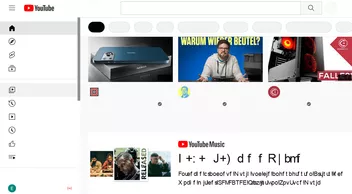
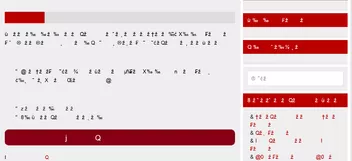
Das hier nur mit diesem Code:
.tabbrowser-tab:not([selected="true"]) { background-color: #BDBDBD !important; }
Und hier mit allen:

milupo ja, der neuer ist länger:
CSS
/* Firefox userChrome.css tweaks ********************************************************/
/* Github: https://github.com/aris-t2/customcssforfx ************************************/
/****************************************************************************************/


/* NOTE  ********************************************************************************/
/* Variables are set inside '.\config\' folders CSS files, if complete package is used! */

:root {
  --classic_squared_tabs_tab_height: 26px;
  --classic_squared_tabs_tab_default_loading_icon_color: #0A84FF;
  --classic_squared_tabs_active_tab: linear-gradient(to top,#f9f9fa,#f9f9fa,#f9f9fa);
  --classic_squared_tabs_hovered_tabs: linear-gradient(to top,#cac7c1,#d5d2cc,#e8e6e2);
  --classic_squared_tabs_other_tabs: linear-gradient(to top,#aeaba5,#c1beb7,#c9c6be);
  --classic_squared_tabs_unloaded_tabs: linear-gradient(to top,#aeaba5,#c1beb7,#c9c6be);
  --classic_squared_tabs_lwt-dark_active_tab: inherit;
  --classic_squared_tabs_lwt-dark_hovered_tabs: linear-gradient(hsla(0,0%,80%,.5), hsla(0,0%,60%,.5) 80%);
  --classic_squared_tabs_lwt-dark_other_tabs: linear-gradient(hsla(0,0%,60%,.5), hsla(0,0%,45%,.5) 80%);
  --classic_squared_tabs_lwt-bright_active_tab: inherit;
  --classic_squared_tabs_lwt-bright_hovered_tabs: linear-gradient(hsla(0,0%,60%,.6), hsla(0,0%,45%,.6) 80%);
  --classic_squared_tabs_lwt-bright_other_tabs: linear-gradient(hsla(0,0%,40%,.6), hsla(0,0%,30%,.6) 80%);
  --classic_squared_tabs-border_size: 1px;
  --classic_squared_tabs-border1: #5f7181;
  --classic_squared_tabs-border2: rgba(0,0,0,.2);
  --classic_squared_tabs-border3: rgba(0,0,0,.5);
  --classic_squared_tabs-border-radius: 3px;
  --classic_squared_tabs_new_tab_icon_color: black;
  --classic_squared_tabs_tab_text_color: black;
  --classic_squared_tabs_tab_text_shadow: transparent;

  --tab-min-height: var(--classic_squared_tabs_tab_height) !important;
  --mltabs-newtab-height: calc( var(--classic_squared_tabs_tab_height) + 1px ) !important;
  --tab-min-height_tnot: calc( var(--classic_squared_tabs_tab_height) - 1px ) !important; /* for tabs_below_navigation_toolbar_alt.css */

  --tab_below_navigation_toolbar_bottom_padding: var(--classic_squared_tabs_tab_height) !important;

  --tab_below_main_content_bottom_margin: calc(2px + var(--classic_squared_tabs_tab_height)) !important;
  --tab_below_main_content_toolbar_height: calc(1px + var(--classic_squared_tabs_tab_height)) !important;
  --tab_below_main_content_top_margin: 0 !important;

  /* variables for tabs below navigation toolbar option on macOS */
  --tab_below_navigation_toolbar_bottom_padding_macOS: var(--classic_squared_tabs_tab_height) !important;
  --tab_below_navigation_toolbar_toolbox_top_padding_macOS: calc(-2px + var(--classic_squared_tabs_tab_height)) !important;

  /* variables for tab_close_at_tabs_start.css */
  --ctb_start_padding: 2px !important;
  --ctb_width: 14px !important;
  --ctb_start_margin: -4px !important;
  --ctb_end_margin: 12px !important;
}

/* remove default tab colors */
#TabsToolbar:not(:-moz-lwtheme) .tabbrowser-tab[visuallyselected="true"],
#TabsToolbar:not(:-moz-lwtheme) .tabbrowser-tab,
#TabsToolbar:not(:-moz-lwtheme) .tabbrowser-tab .tab-background {
  background: unset !important;
  border: unset !important;
}

/*******************************************/
/**** default themes tab colors [start] ****/
/*******************************************/

/* black tab text color */
#TabsToolbar:not(:-moz-lwtheme) .tabbrowser-tab {
  color: var(--classic_squared_tabs_tab_text_color) !important;
  text-shadow: 1px 1px 1px var(--classic_squared_tabs_tab_text_shadow) !important;
}

/* default tabs color */
#TabsToolbar:not(:-moz-lwtheme) :is(.tabs-newtab-button,#tabs-newtab-button),
#TabsToolbar:not(:-moz-lwtheme) .tabbrowser-tab .tab-content {
  background-image: var(--classic_squared_tabs_other_tabs) !important;
}
/* selected tabs color */
#TabsToolbar:not(:-moz-lwtheme) .tabbrowser-tab .tab-content[selected="true"] {
  background-image: var(--classic_squared_tabs_active_tab) !important;
}
/* hovered tabs color */
#TabsToolbar:not(:-moz-lwtheme) :is(.tabs-newtab-button,#tabs-newtab-button):hover,
#TabsToolbar:not(:-moz-lwtheme) .tabbrowser-tab:hover .tab-content:not([selected="true"]) {
  background-image: var(--classic_squared_tabs_hovered_tabs) !important;
}

/* unloaded/pending tabs color */
#TabsToolbar:not(:-moz-lwtheme) .tabbrowser-tab[pending] .tab-content {
  background-image: var(--classic_squared_tabs_unloaded_tabs) !important;
}

/* tab border color */
#TabsToolbar:not(:-moz-lwtheme) :is(.tabs-newtab-button,#tabs-newtab-button),
#TabsToolbar:not(:-moz-lwtheme) .tabbrowser-tab .tab-content {
  border-top: var(--classic_squared_tabs-border_size) solid var(--classic_squared_tabs-border1) !important;
  border-left: var(--classic_squared_tabs-border_size) solid var(--classic_squared_tabs-border1) !important;
  border-right: var(--classic_squared_tabs-border_size) solid var(--classic_squared_tabs-border1) !important;
}

#TabsToolbar :is(.tabs-newtab-button,#tabs-newtab-button) {
  border-top: var(--classic_squared_tabs-border_size) solid var(--classic_squared_tabs-border2) !important;
  border-left: var(--classic_squared_tabs-border_size) solid var(--classic_squared_tabs-border2) !important;
  border-right: var(--classic_squared_tabs-border_size) solid var(--classic_squared_tabs-border2) !important;
}

#TabsToolbar .tabbrowser-tab:not(:-moz-lwtheme):not([selected]) .tab-content {
  border-top: var(--classic_squared_tabs-border_size) solid var(--classic_squared_tabs-border3) !important;
  border-left: var(--classic_squared_tabs-border_size) solid var(--classic_squared_tabs-border3) !important;
  border-right: var(--classic_squared_tabs-border_size) solid var(--classic_squared_tabs-border3) !important;
}

/* new tab icon color */
#TabsToolbar:not(:-moz-lwtheme) :is(.tabs-newtab-button,#tabs-newtab-button) {
  fill: var(--classic_squared_tabs_new_tab_icon_color) !important;
  color: var(--classic_squared_tabs_new_tab_icon_color) !important;
}
/*******************************************/
/***** default themes tab colors [end] *****/
/*******************************************/

/********************************************/
/******* lw-themes tab colors [start] *******/
/********************************************/

/* lightweight theme tab colors*/
.tabbrowser-tab[selected]:-moz-lwtheme-darktext .tab-content {
  background-image: var(--classic_squared_tabs_lwt-dark_active_tab) !important;
}
:is(.tabs-newtab-button,#tabs-newtab-button):-moz-lwtheme-darktext,
.tabbrowser-tab:not([selected]):-moz-lwtheme-darktext .tab-content {
  background-image: var(--classic_squared_tabs_lwt-dark_other_tabs) !important;
}
:is(.tabs-newtab-button,#tabs-newtab-button):hover:-moz-lwtheme-darktext,
.tabbrowser-tab:not([selected]):hover:-moz-lwtheme-darktext .tab-content {
  background-image: var(--classic_squared_tabs_lwt-dark_hovered_tabs) !important;
}

.tabbrowser-tab[selected]:-moz-lwtheme-brighttext .tab-content {
  background-image: var(--classic_squared_tabs_lwt-bright_active_tab) !important;
}
:is(.tabs-newtab-button,#tabs-newtab-button):-moz-lwtheme-brighttext,
.tabbrowser-tab:not([selected]):-moz-lwtheme-brighttext .tab-content {
  background-image: var(--classic_squared_tabs_lwt-bright_other_tabs) !important;
}
:is(.tabs-newtab-button,#tabs-newtab-button):hover:-moz-lwtheme-brighttext,
.tabbrowser-tab:not([selected]):hover:-moz-lwtheme-brighttext .tab-content {
  background-image: var(--classic_squared_tabs_lwt-bright_hovered_tabs) !important;
}
.tabbrowser-tab:not([selected]):not(:hover):-moz-lwtheme-brighttext {
  background: unset !important;
}

.tabbrowser-tab[selected]:-moz-lwtheme-darktext .tab-content {
  border-top: 1px solid rgba(0,0,0,.5) !important;
  border-left: 1px solid rgba(0,0,0,.4) !important;
  border-right: 1px solid rgba(0,0,0,.4) !important;
}
.tabbrowser-tab[selected]:-moz-lwtheme-brighttext .tab-content {
  border-top: 1px solid rgba(255,255,255,.6) !important;
  border-left: 1px solid rgba(255,255,255,.2) !important;
  border-right: 1px solid rgba(255,255,255,.2) !important;
}
#TabsToolbar:-moz-lwtheme :is(.tabs-newtab-button,#tabs-newtab-button):-moz-lwtheme-darktext,
.tabbrowser-tab .tab-content:-moz-lwtheme-darktext {
  border-top: 1px solid rgba(0,0,0,.2) !important;
  border-left: 1px solid rgba(0,0,0,.2) !important;
  border-right: 1px solid rgba(0,0,0,.2) !important;
}
#TabsToolbar:-moz-lwtheme :is(.tabs-newtab-button,#tabs-newtab-button):-moz-lwtheme-brighttext,
.tabbrowser-tab .tab-content:-moz-lwtheme-brighttext {
  border-top: 1px solid rgba(255,255,255,.6) !important;
  border-left: 1px solid rgba(255,255,255,.2) !important;
  border-right: 1px solid rgba(255,255,255,.2) !important;
}


@media (-moz-content-prefers-color-scheme: dark) {
    .tabbrowser-tab[selected]:-moz-lwtheme .tab-content {
      background-image: var(--classic_squared_tabs_lwt-bright_active_tab) !important;
    }
    :is(.tabs-newtab-button,#tabs-newtab-button):-moz-lwtheme,
    .tabbrowser-tab:not([selected]):-moz-lwtheme .tab-content {
      background-image: var(--classic_squared_tabs_lwt-bright_other_tabs) !important;
    }
    :is(.tabs-newtab-button,#tabs-newtab-button):hover:-moz-lwtheme,
    .tabbrowser-tab:not([selected]):hover:-moz-lwtheme .tab-content {
      background-image: var(--classic_squared_tabs_lwt-bright_hovered_tabs) !important;
    }
    .tabbrowser-tab:not([selected]):not(:hover):-moz-lwtheme {
      background: unset !important;
    }
    .tabbrowser-tab[selected]:-moz-lwtheme .tab-content {
      border-top: 1px solid rgba(255,255,255,.6) !important;
      border-left: 1px solid rgba(255,255,255,.2) !important;
      border-right: 1px solid rgba(255,255,255,.2) !important;
    }
    #TabsToolbar:-moz-lwtheme :is(.tabs-newtab-button,#tabs-newtab-button):-moz-lwtheme,
    .tabbrowser-tab .tab-content:-moz-lwtheme {
      border-top: 1px solid rgba(255,255,255,.6) !important;
      border-left: 1px solid rgba(255,255,255,.2) !important;
      border-right: 1px solid rgba(255,255,255,.2) !important;
    }
}

@media (-moz-content-prefers-color-scheme: light) {
    .tabbrowser-tab[selected]:-moz-lwtheme .tab-content {
      background-image: var(--classic_squared_tabs_lwt-dark_active_tab) !important;
    }
    :is(.tabs-newtab-button,#tabs-newtab-button):-moz-lwtheme,
    .tabbrowser-tab:not([selected]):-moz-lwtheme .tab-content {
      background-image: var(--classic_squared_tabs_lwt-dark_other_tabs) !important;
    }
    :is(.tabs-newtab-button,#tabs-newtab-button):hover:-moz-lwtheme,
    .tabbrowser-tab:not([selected]):hover:-moz-lwtheme .tab-content {
      background-image: var(--classic_squared_tabs_lwt-dark_hovered_tabs) !important;
    }

    .tabbrowser-tab[selected]:-moz-lwtheme .tab-content {
      border-top: 1px solid rgba(0,0,0,.5) !important;
      border-left: 1px solid rgba(0,0,0,.4) !important;
      border-right: 1px solid rgba(0,0,0,.4) !important;
    }
    #TabsToolbar:-moz-lwtheme :is(.tabs-newtab-button,#tabs-newtab-button):-moz-lwtheme,
    .tabbrowser-tab .tab-content:-moz-lwtheme {
      border-top: 1px solid rgba(0,0,0,.2) !important;
      border-left: 1px solid rgba(0,0,0,.2) !important;
      border-right: 1px solid rgba(0,0,0,.2) !important;
    }
}

/********************************************/
/******** lw-themes tab colors [end] ********/
/********************************************/

/* tab line & tab background*/
.tabbrowser-tab:-moz-lwtheme[selected] .tab-line[selected=true] {
  height: 0px !important;
}

.tabbrowser-tab > .tab-stack > .tab-background > .tab-line[selected=true],
.tabbrowser-tab:hover > .tab-stack > .tab-background > .tab-line:not([selected=true]) {
  background-color: rgba(0,0,0,.2);
  opacity: 0 !important;
}

.tabbrowser-tab .tab-background[selected=true] {
  border-image: unset !important;
  border-image-slice: 0 !important;
}

/*
.tabbrowser-tab:not([selected]) .tab-background{
  display: none !important;
}
*/

.tab-background {
  margin-block: unset !important;
}

.tabbrowser-tab:hover > .tab-stack > .tab-background:not([selected=true]) {
  background-color: rgba(0,0,0,.0) !important;
}

/* tab top border roundness */
#TabsToolbar :is(.tabs-newtab-button,#tabs-newtab-button),
#TabsToolbar .tabbrowser-tab,
#TabsToolbar .tabbrowser-tab .tab-stack,
#TabsToolbar .tabbrowser-tab .tab-background,
#TabsToolbar .tabbrowser-tab .tab-content {
  border-top-left-radius: var(--classic_squared_tabs-border-radius) !important;
  border-top-right-radius: var(--classic_squared_tabs-border-radius) !important;
}

/* loading animation color */
#TabsToolbar:not(:-moz-lwtheme) .tabbrowser-tab,
#TabsToolbar:not(:-moz-lwtheme) .tabbrowser-tab:not([visuallyselected=true]) {
  --tab-loading-fill: var(--classic_squared_tabs_tab_default_loading_icon_color) !important;
}
.tab-throbber[busy]::before,
.tab-throbber[progress]::before {
  fill: var(--classic_squared_tabs_tab_default_loading_icon_color) !important;
}

/* space between tabs */
:is(.tabs-newtab-button,#tabs-newtab-button),
.tabbrowser-tab:not([pinned]) {
  margin-inline-start: 0px !important;
}

/* width of new tab tab */
#TabsToolbar :is(.tabs-newtab-button,#tabs-newtab-button){
  min-width: 0px !important;
  width: 28px !important;
  margin-bottom: -1px !important;
}

/* size of new tab tabs '+' icon */
#TabsToolbar :is(.tabs-newtab-button,#tabs-newtab-button) .toolbarbutton-icon{
  min-width: 0px !important;
  min-height: 0px !important;
  width: 14px !important;
  height: 14px !important;
  margin: 0px !important;
  margin-bottom: 0px !important;
  padding: 0px !important;
  background: unset !important;
  box-shadow: unset !important;
}


/*tab favicon position*/
.tabbrowser-tab:not([pinned]):not([locked]) .tab-throbber,
.tabbrowser-tab:not([pinned]) .tab-icon-image{
  margin-inline-start:-6px !important;
}

/* reduce minimum tab height */
#tabbrowser-tabs,
#tabbrowser-tabs > .tabbrowser-arrowscrollbox,
.tabbrowser-tabs[positionpinnedtabs] > .tabbrowser-tab[pinned] {
  min-height: var(--classic_squared_tabs_tab_height) !important;
}

#TabsToolbar #tabbrowser-tabs[overflow="true"] .tabbrowser-tab[pinned] {
  min-height: calc( var(--classic_squared_tabs_tab_height) - 1px ) !important;
  max-height: calc( var(--classic_squared_tabs_tab_height) - 1px ) !important;
}

/* Windows 10 fix */
@media (-moz-platform: windows-win10), (-moz-os-version: windows-win10) {
    .titlebar-button {
      padding-top: 7px !important;
      padding-bottom: 7px !important;
    }
}

/*pinned tabs*/
#TabsToolbar .tab-content[pinned] {
  padding: 0 6px !important;
}

/* remove top line above tabs for lw-themes */
#main-window:-moz-lwtheme #browser-panel{
  border: unset !important;
  box-shadow: unset !important;
}

/* hide tab separators and borders set by Firefox */
.tabbrowser-tab::after,
.tabbrowser-tab::before {
  opacity: 0 !important;
  border-image: unset !important;
  border-image-slice: unset !important;
  width: unset !important;
}

#tabbrowser-tabs[movingtab] > .tabbrowser-tab[beforeselected]:not([last-visible-tab])::after,
.tabbrowser-tab:not([selected]):not([afterselected-visible]):not([afterhovered]):not([first-visible-tab]):not(:hover)::before,
#tabbrowser-tabs:not([overflow]) > .tabbrowser-tab[last-visible-tab]:not([selected]):not([beforehovered]):not(:hover)::after {
  content: unset !important;
  display: unset !important;
}

.tabbrowser-tab::after,
.tabbrowser-tab::before {
  border-left: unset !important;
  border-image: unset !important;
  border-image-slice: unset !important;
  border-top-left-radius: 3px !important;
  border-top-right-radius: 3px !important;
}

:root[tabsintitlebar]:not([extradragspace]) #toolbar-menubar[autohide=true] ~ #TabsToolbar > #tabbrowser-tabs > .tabbrowser-tab::after,
:root[tabsintitlebar]:not([extradragspace]) #toolbar-menubar[autohide=true] ~ #TabsToolbar > #tabbrowser-tabs > .tabbrowser-tab::before,
.tabbrowser-tab:hover::before,
.tabbrowser-tab[last-visible-tab]:hover::after,
#tabbrowser-tabs:not([movingtab]) > .tabbrowser-tab[afterhovered]::before {
  border-image: unset !important;
  border-image-slice: unset !important;
  border-top-left-radius: 3px !important;
  border-top-right-radius: 3px !important;
}

.tabbrowser-tab,
.tab-stack,
.tab-background {
  border: unset !important;
}

/* remove titlebar placerholders */
#TabsToolbar .titlebar-placeholder[type="pre-tabs"],
#TabsToolbar .titlebar-placeholder[type="post-tabs"]{
  opacity: 0 !important;
}

#TabsToolbar .titlebar-spacer[type="pre-tabs"],
#TabsToolbar .titlebar-spacer[type="post-tabs"] {
  display: none !important;
}

/* make sure toolbar buttons do not increase toolbar height */
#TabsToolbar toolbarbutton .toolbarbutton-badge-stack,
#TabsToolbar > toolbarpaletteitem,
#TabsToolbar > toolbarbutton {
  min-height: unset !important;
  padding: unset !important;
  margin: 0 2px !important;
}

#TabsToolbar > toolbarpaletteitem .toolbarbutton-icon,
#TabsToolbar > toolbarbutton .toolbarbutton-icon {
  min-width: 16px !important;
  width: unset !important;
  min-height: 16px !important;
  height: unset !important;
  padding: unset !important;
  margin: unset !important;
}

#TabsToolbar toolbarbutton .toolbarbutton-badge-stack .toolbarbutton-icon {
  width: 16px !important;
  height: 16px !important;
}

#TabsToolbar-customization-target > toolbarpaletteitem toolbarbutton .toolbarbutton-icon,
#TabsToolbar-customization-target > toolbarbutton .toolbarbutton-icon {
  padding: unset !important;
  height: unset !important;
  width: unset !important;
}

/* indicator for multiselected tabs */
.tabbrowser-tab[multiselected="true"] .tab-stack .tab-content {
  box-shadow:    inset 2px 0 0 Highlight,
                inset -2px 0 0 Highlight,
                inset 0 2px 0 Highlight,
                inset 0 -2px 0 Highlight !important;
}

/* remove non-required icon pending */
.tab-icon-pending {
  display: none !important;
}

/* Fx65+ fixes */
#main-window[sizemode="maximized"][tabsintitlebar] #TabsToolbar {
  margin-top: -1px !important;
}

#main-window #navigator-toolbox #titlebar #TabsToolbar > .toolbar-items {
  padding-top: 0 !important;
  margin-top: 0 !important;
}

@media (-moz-platform: windows-win10), (-moz-os-version: windows-win10) {
  #main-window[sizemode="maximized"] .titlebar-buttonbox-container {
    margin-inline-end: -2px !important;
  }
}

#scrollbutton-up,
#scrollbutton-down {
  width: unset !important;
  height: unset !important;
  padding: unset !important;
}

.tab-background,
.tab-stack {
  min-height: unset !important;
}

#tabbrowser-tabs[overflow="true"] .tabbrowser-tab[pinned] :is(.tab-background,.tab-stack) {
  min-height: var(--tab-min-height) !important;
}

.tab-close-button {
  margin-inline-end: -6px !important;
  margin-inline-start: 2px !important;
  width: 14px !important;
  height: 14px !important;
  padding: 2px !important;
  border-radius: unset !important;
}

.tabbrowser-tab[visuallyselected=true]:hover,
#tabbrowser-tabs:not([closebuttons=activetab]) > #tabbrowser-arrowscrollbox > .tabbrowser-tab:not([visuallyselected=true]):hover {
  --tab-label-mask-size: unset !important;
}

.tabbrowser-tab {
  padding-inline: initial !important;
}

.tab-background:-moz-lwtheme {
  border-radius: initial !important;
  margin-block: initial !important;
}


.tab-secondary-label {
  display: none !important;
}

/* Lightweight theme on tabs */
#tabbrowser-tabs:not([movingtab]) > #tabbrowser-arrowscrollbox > .tabbrowser-tab > .tab-stack > .tab-background[multiselected=true]:-moz-lwtheme,
#tabbrowser-tabs:not([movingtab]) > #tabbrowser-arrowscrollbox > .tabbrowser-tab > .tab-stack > .tab-background[selected=true]:-moz-lwtheme {
  background-color: var(--tab-selected-bgcolor, var(--toolbar-bgcolor)) !important;
}

#main-window:not([lwtheme-image="true"]) #tabbrowser-tabs:not([movingtab]) > #tabbrowser-arrowscrollbox > .tabbrowser-tab > .tab-stack > .tab-background[multiselected=true]:-moz-lwtheme,
#main-window:not([lwtheme-image="true"]) #tabbrowser-tabs:not([movingtab]) > #tabbrowser-arrowscrollbox > .tabbrowser-tab > .tab-stack > .tab-background[selected=true]:-moz-lwtheme {
  background-image: var(--toolbar-bgimage) !important;
}

/* restore border between navigation toolbar and tabs toolbar */
#nav-bar:not(:-moz-lwtheme) {
  box-shadow: 0 calc(-1 * var(--tabs-navbar-shadow-size)) 0 var(--classic_squared_tabs-border2) !important;
}

/* remove active tabs left and right tab border color when using lw-themes */
:root:not([lwtheme-mozlightdark]) #TabsToolbar:not([brighttext]) #tabbrowser-tabs:not([noshadowfortests]) .tabbrowser-tab:is([visuallyselected=true], [multiselected]) > .tab-stack > .tab-background:-moz-lwtheme,
:root:not([lwtheme-mozlightdark]) #TabsToolbar[brighttext] #tabbrowser-tabs:not([noshadowfortests]) .tabbrowser-tab:is([visuallyselected=true], [multiselected]) > .tab-stack > .tab-background:-moz-lwtheme {
  box-shadow: unset !important;
}

@media (-moz-platform: windows-win7), (-moz-os-version:windows-win7) {
    #tabs-newtab-button:-moz-lwtheme,
    .tabbrowser-tab:-moz-lwtheme {
      color: var(--lwt-tab-text, var(--toolbar-color)) !important;
      fill: var(--lwt-tab-text, var(--toolbar-color)) !important;
    }
}

/* Fx 97+ height fix */
#tabbrowser-tabs:not([secondarytext-unsupported]) .tab-label-container {
  height: unset !important;
}